
There’s a blind spot for SEOs in AI Search right now, and it’s not a small one. It’s a gaping hole that sits at the intersection of infrastructure, performance, and how modern AI systems actually retrieve information.
Despite our efforts, much of the SEO community is still anchored in the mental model of crawling, indexing, and ranking, but that model breaks down in AI Search which is driven by the retrieval augmented generation (RAG) paradigm.
What we’re dealing with now is a system where content must first be eligible before it can even be considered for informing responses or citation. And one of the biggest factors quietly determining eligibility is something most SEOs have never even heard of: the 499 response code.
499: The Status Code SEO Forgot
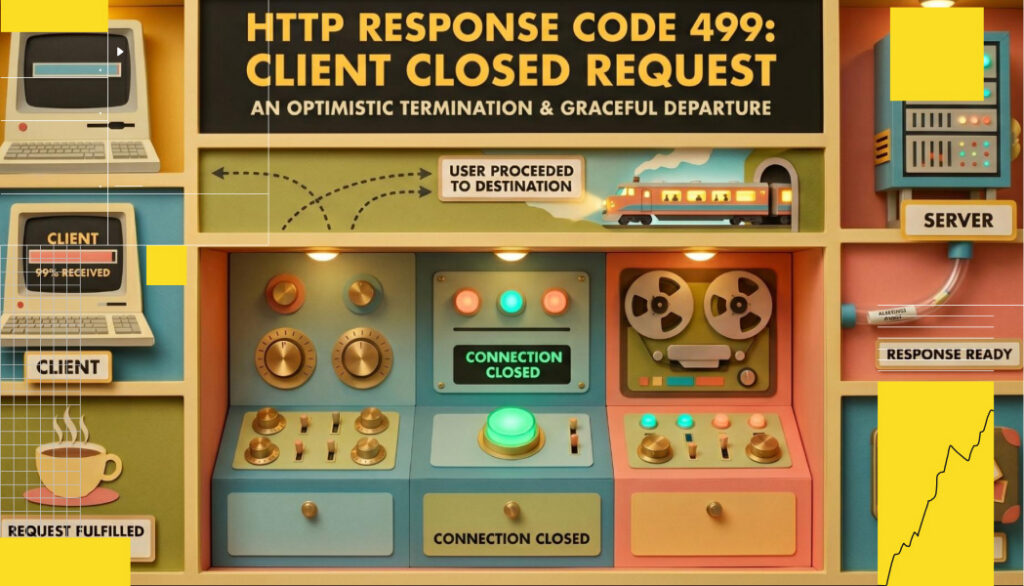
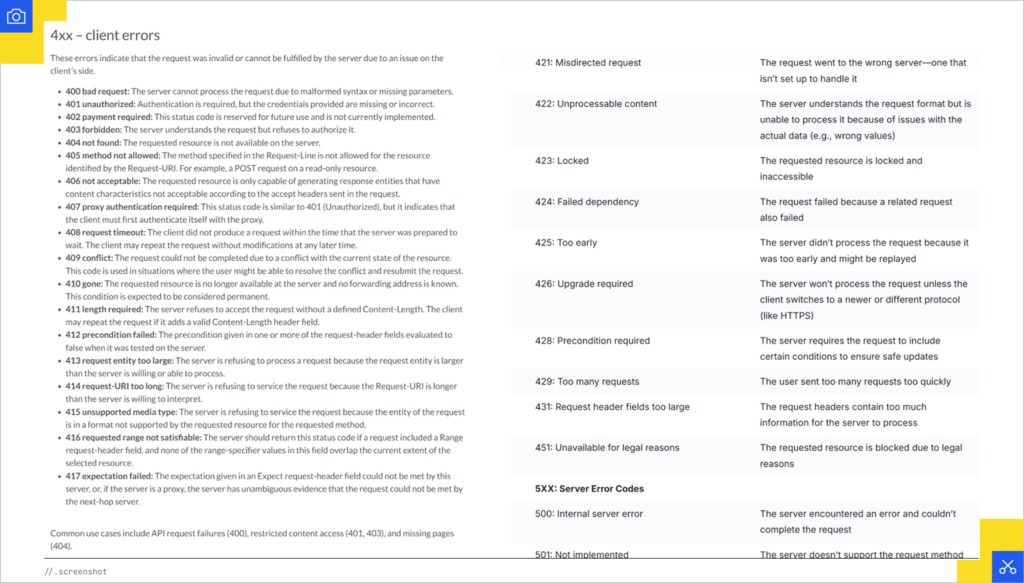
The 499 response code doesn’t show up in the hypertext transfer protocol (HTTP) specification (it ends at 426). You won’t find it in the typical status code breakdowns that SEO blogs recycle, and you won’t see it highlighted as a problem in SEO tools. It was introduced by NGINX to describe a very specific situation: the client disconnected before the server could finish responding.

That nuance matters more than it seems.
A 499 doesn’t mean your server failed. It doesn’t mean your page is broken. It means the system requesting your content decided it wasn’t worth waiting for. The request was abandoned before completion. The server may have finished milliseconds later, but from the client’s perspective, it never existed.
Over time, this code has been adopted across CDNs and modern delivery infrastructure. Cloudflare logs it. Edge proxies log it. API gateways log it. It is part of how the web actually behaves today, even if it’s invisible to most SEO practitioners.
The Scenario We’re Seeing in the Wild
Let’s ground this in something concrete, because this isn’t theoretical.
We’re seeing a clear pattern where growth in 499s directly corresponds with declines in AI visibility, and when those 499s are addressed, visibility rebounds.


One of AI Search Pilot clients saw a sharp increase in 499s over time, followed by suppressed visibility, and then recovery after intervention. That’s not a coincidence. That’s the system telling you your content is falling out of eligibility.

Ultimately, the client saw a 22% bump in AI Search visibility on the back of this fix.
Profound’s Data Reinforces What We’re Seeing
I reached out to the team at Profound and asked what they are seeing across their dataset. They analyzed a random sample of 700K pages over a multi-day period in April 2026 and found a strong relationship between page reliability and whether OpenAI systems cite those pages at all.
Pages that frequently timed out for AI crawlers, specifically those with very high failure rates above 75 percent, received dramatically fewer citation interactions. On average, they saw roughly 18X fewer citation events than more stable pages. In many cases, those pages received no citations at all.
That’s the key point.
Not worse performance.
No performance.
This is not a ranking penalty. This is a gating mechanism.
(Special thanks to Jasman Singh and Josh Blyskal for their help in pulling those stats.)
Eligibility Is the New Ranking
To understand why this is happening, you need to understand how AI Search actually works.
We are no longer in a world where a single crawler indexes the web and serves results from a cache. We’re in a world where multiple agents operate across a retrieval pipeline in real time. This is particularly true of ChatGPT, Perplexity, and other systems that don’t maintain an index.
We’re also well beyond the naive version of RAG. We’ve moved on to agentic RAG where there are many agents making decisions about content at each stage.

At query time, the system generates query fan-out, retrieves candidate documents, fetches those documents, extracts passages, and synthesizes an answer. Every one of those steps operates under tight latency constraints.
Your content only matters if it survives the fetch stage and that’s where eligibility comes in.
If the system cannot reliably fetch your page within the time it expects, your page is excluded from the candidate set. It never gets to passage selection. It never gets to citation. It never influences the output.
A 499 is the log-level manifestation of that exclusion. It’s the moment where the system stopped waiting.
Why AI Agents Are Less Forgiving
Traditional search engines are built for completeness. AI systems are built for speed.
When an AI agent is assembling an answer, it is often evaluating dozens or hundreds of potential sources in parallel. It does not have the luxury of waiting for slow responses. It has to move on to the next viable option.
Because AI Search systems like ChatGPT and Perplexity are fetching pages in real time, the page needs to be fast or it won’t even be considered as part of the options.
That’s not a performance optimization. That’s a participation requirement.

Why SEO Has Missed This Entirely
The reason this has flown under the radar is because it lives outside of the traditional SEO toolkit.
Most SEO log file analysis tools don’t explicitly surface 499s. In fact that failure state can also be attributed to 5XX errors. There is no GSC equivalent for ChatGPT. Crawlers don’t experience them the same way because they operate differently than AI agents. And because 499 isn’t part of the official HTTP spec, it’s often omitted from educational content about status codes altogether.
So you end up with a situation where:
- The infrastructure is logging a critical failure mode
- AI systems are acting on that failure mode
- And SEO teams have no visibility into it
That’s the gap.
What You Should Be Doing About It
If 499s are showing up in your logs, you don’t have a single bug. You have a systems mismatch. Something in your stack is taking longer than the client is willing to wait.
There are a few core levers you can pull. Each of them addresses a different part of the request lifecycle, and in many cases you’ll need to use them together. That said, edge caching in particular can act as a single high-impact lever because it removes origin latency from the equation entirely.
Fix Backend Performance at the Source
Everything starts at the origin. If your backend is slow, every downstream layer is forced to compensate, and eventually something times out.
The first step is to break down where your latency is actually coming from. That means instrumenting request time across database queries, application logic, third-party calls, and rendering. In most cases, you’ll find that a small number of expensive operations are responsible for the majority of delay. Those are your bottlenecks.
Fixing them often comes down to fundamentals. Optimize your database queries with proper indexing. Eliminate N+1 patterns. Precompute data that doesn’t need to be generated on every request. Reduce reliance on synchronous third-party calls. If your application is assembling large, complex payloads at request time, reconsider whether all of that work needs to happen before the first byte is sent.
In the context of AI agents, time to first byte matters more than full page completion. You want to get meaningful content out as quickly as possible so the connection stays alive. The faster your origin responds, the less likely any client is to give up.
Use Edge Caching as a Force Multiplier
Edge caching may be the single highest-impact lever for reducing 499s because it removes origin latency from the equation. If an AI agent requests a page and Cloudflare can serve a cached HTML response directly from the edge, the agent is no longer waiting on your database, application logic, rendering layer, or origin server. The response is simply there.
For AI Search specifically, you should consider creating cache rules that treat known AI bot traffic differently from human traffic. In many cases, these bots do not need the absolute freshest version of the page. They need a fast, reliable, retrievable version of the page. That means you can serve cached versions to AI bots with longer edge TTLs than you would use for human users.
This is especially useful for editorial, informational, product, location, FAQ, and resource pages where the core content does not change minute by minute. A human user may need fresher personalization, pricing, inventory, or UI state. An AI agent usually needs the canonical content payload. Those are different jobs, so they should not always get the same caching behavior.
Cloudflare Cache Rules are built for this kind of control. Cloudflare says Cache Rules let you customize what is eligible for cache, how long it should be cached, and where, including via dashboard, API, or Terraform. Cloudflare also supports Edge Cache TTL, which controls how long a resource remains cached in Cloudflare’s global network, and that TTL can override origin cache headers.
Here’s a practical Cloudflare setup:
Step 1: Identify the AI bot user agents
Start with the bots you actually see in your logs. Common examples include GPTBot, ChatGPT-User, OAI-SearchBot, ClaudeBot, PerplexityBot, Applebot-Extended, Google-Extended, and Bytespider. Do not blindly trust every user agent string forever. Use this as an operational starting point, then validate against IP verification where available.
Step 2: Create a Cloudflare Cache Rule for AI bots
In Cloudflare, go to Caching > Cache Rules > Create rule. Name it something like AI Bot HTML Edge Cache.
Set the matching expression around the user agent. For example:
(http.user_agent contains “GPTBot”)
or (http.user_agent contains “ChatGPT-User”)
or (http.user_agent contains “OAI-SearchBot”)
or (http.user_agent contains “ClaudeBot”)
or (http.user_agent contains “PerplexityBot”)
You can also limit the rule to HTML pages so you are not accidentally applying the same behavior to APIs, checkout flows, account pages, or other dynamic endpoints.
and (http.request.uri.path ne “/wp-admin”)
and not (http.request.uri.path contains “/cart”)
and not (http.request.uri.path contains “/checkout”)
and not (http.request.uri.path contains “/account”)
Step 3: Make matching requests eligible for cache
In the Cache Rule settings, set Cache eligibility to Eligible for cache. Cloudflare’s cache rule settings explicitly support making matching requests eligible for cache rather than bypassing cache.
Step 4: Cache full HTML, not just static assets
Set the cache behavior to cache everything for the matching request set. Cloudflare documents Cache Level / Cache Everything as a way to cache more than default static assets, including HTML when your rule matches.
This is the step most sites miss. Caching JavaScript, CSS, and images helps page experience, but it does not solve the AI agent timeout problem if the HTML document still has to be generated from origin every time.
Step 5: Set a higher Edge Cache TTL for AI bots
Set a longer Edge Cache TTL for these AI bot requests. For example, you might use:
Informational pages: 1 day to 7 days
Blog posts and guides: 7 days to 30 days
Evergreen resources: 30 days or longer
The exact TTL depends on how often the content changes, but the principle is simple. AI bots should get a stable cached version when freshness is less important than retrievability.
Step 6: Use stale-while-revalidate where possible
Configure your origin cache headers to support stale-while-revalidate, or use Cloudflare features that allow stale content to be served while the cache refreshes in the background. This gives AI agents an immediate response instead of forcing them to wait during cache regeneration.
The best version of this setup is not “cache forever.” It is “serve instantly, refresh intelligently.”
Step 7: Exclude pages that should not be cached
Do not apply this rule globally without exclusions. Keep dynamic and sensitive areas out of the AI bot cache rule, including cart, checkout, logged-in pages, account pages, internal search results, personalization-heavy pages, and anything with user-specific information.
Step 8: Validate in logs
After the rule is live, segment by user agent and compare 499 rates before and after. You should also compare cache status values like HIT, MISS, BYPASS, EXPIRED, and REVALIDATED. The desired pattern is simple: more HITs, fewer origin fetches, lower request time, fewer 499s, and improved AI visibility.
The strategic point is this: for AI agents, cached HTML is not just a performance optimization. It is an eligibility mechanism.
Align Timeout Configurations Across the Stack
Timeouts are where things quietly break.
Every layer has its own threshold. The client has a timeout. The CDN has a timeout. Your load balancer has a timeout. Your origin server has a timeout. If those aren’t aligned, you create scenarios where one layer gives up while another is still working.
This is one of the most common causes of 499s.
For example, if your origin takes six seconds to generate a page but your CDN is configured to wait five seconds, the CDN will terminate the request early. That gets logged as a 499. If the AI agent itself is only willing to wait three seconds, then even a perfectly configured CDN won’t help because the client will disconnect first.
The practical reality is that you have to design for the most impatient layer in the chain, which is usually the client. You don’t control that directly, but you can infer it by analyzing when 499s occur and how long requests are taking. Once you understand that window, you need to ensure your responses consistently fall within it.
That may require increasing CDN or proxy timeouts in some cases, but more often it requires reducing response times so you don’t depend on long timeouts in the first place.
Serve Simplified Responses for Automated Clients
AI agents do not need the same experience human users need and many of them can’t see them. They do not care about your animations, personalization widgets, client-side hydration, tag manager payloads, or interactive modules. They need the actual information, delivered quickly, cleanly, and in a format that is easy to parse.
Although it’s not a requirement, speed is why serving Markdown to bots can be legitimately beneficial.
Markdown strips the page down to the semantic payload. Headings, paragraphs, lists, links, tables, and code blocks become easier for an agent to consume without all the DOM noise, JavaScript dependencies, styling overhead, and layout complexity that come with modern HTML pages. In the context of 499s, that matters because smaller, cleaner, faster responses reduce the chances that the agent gives up before the content arrives.
Cloudflare is already moving in this direction with Markdown for Agents. Their feature converts HTML to Markdown at the edge when an AI system requests text/markdown through the Accept header. Cloudflare describes it as real-time content conversion at the source, allowing enabled zones to serve Markdown versions of pages to AI systems through content negotiation.
That’s important because it reframes Markdown as infrastructure for AI visibility, not just a developer convenience. Cloudflare’s own announcement positions the shift around the way content discovery is moving from traditional search engines to AI agents that need clean, machine-consumable content.
To enable this in Cloudflare, go to your Cloudflare dashboard, select the account and zone, find Quick Actions, and toggle Markdown for Agents (for Pro and Business plan customers, the feature is found in the AI Crawl Control section of the dashboard). Cloudflare says the feature is currently available in beta for Pro, Business, Enterprise, and SSL for SaaS customers.
Some people call this cloaking or double-serving, but it’s not cloaking if the content is materially the same. The objective is not to show AI agents different claims than users. The objective is to remove presentation overhead so the core content can be retrieved and interpreted more efficiently.
In practical terms, simplified bot responses can include:
- Server-rendered HTML instead of client-rendered HTML
- Markdown versions of key editorial pages
- Reduced JavaScript execution requirements
- Cleaner heading structures
- Less boilerplate navigation
- Fewer blocking third-party dependencies
- Smaller payload sizes
For Relevance Engineering, this is the natural evolution of technical SEO. We are no longer just asking whether a crawler can discover a URL. We are asking whether an AI agent can retrieve the right content, in the right format, fast enough to use it.
That’s why Markdown matters. It makes content more portable, more parseable, and more likely to survive the fetch stage. In an AI Search environment where eligibility comes before citation, that can be the difference between being used as a source and being invisible.
Final Thoughts
The biggest shift here is conceptual.
SEO has historically been about ranking, but AI Search introduces a new prerequisite layer: eligibility.
If your content is not fast and reliable enough to be fetched in real time, it is not eligible. And if it is not eligible, it cannot be ranked, cited, or synthesized.
499s are the clearest signal that you are failing that prerequisite. They represent the exact moment where the system decided your content wasn’t worth waiting for.
As search evolves into Relevance Engineering, the boundaries between SEO, content, and infrastructure are collapsing. Visibility is no longer just about relevance signals. It’s about whether your content can participate in the systems that generate answers.
If your pages are slow enough to trigger 499s, you are not just underperforming.
You are invisible.